CN
CN Jun 15, 2026
You know that sinking feeling. The printer is spitting out covers at 100 pages per minute. The deadline for the client presentation is in two hours. Everything is running smoothly until you get to the finishing station. There, your old laminator is humming loudly, still blinking its “warming up” light, creating a pile of curled documents that look anything but professional.
In a high-output print room or a busy office environment, speed isn’t just about “millimeters per minute” printed on a spec sheet. Real speed is about total throughput. It is the rhythm from the moment you hit the power button to the moment you stack the perfectly flat, finished product.
Too many buyers fixate on raw motor speed and end up with a device that actually extends production time due to long heat-up delays, film loading nightmares, and constant jams. If you are evaluating options for high-efficiency finishing, here are five tips to look beyond the misleading numbers.
1. Look for “Ready to Work” Speed, Not Just Motor Speed
A spec sheet might boast a lamination speed of 15 meters per minute. But what good is that if the machine takes 30 minutes to reach operating temperature?
The biggest bottleneck in fast finishing is often thermal inertia. Traditional machines use heated rollers that require a lengthy pre-heating cycle and consume energy all day—even when idle. Modern solutions address this with on-demand heating technology.
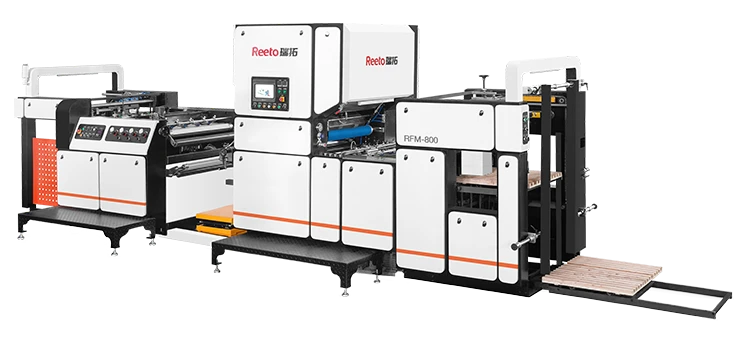
When sifting through options, ask the supplier: “What is the time from a cold start to the first finished sheet?” You want a response measured in seconds, not minutes. This is especially critical if you tend to run lots of short, urgent jobs interspersed throughout the day. A machine that can enter a deep sleep mode and wake up instantly will drastically cut your energy bill and your stress levels.
If your workflow often involves irregular sizes, you’ll find the transition between different media formats is where the real time loss occurs. This brings us to the physical flow of the machine.
2. The Geometry of Speed: Why Vertical Orientation Matters
Have you ever watched someone struggle with a large laminator in a tight corridor? They feed a delicate poster from the front, only to watch it slide off the floor on the exit side, picking up dust and static.
Floor space is a premium, but workflow space is priceless. A horizontal machine with feed tables jutting out front and back can hog nearly 10 feet of depth. In contrast, a vertical design changes the physics of the workspace. By operating upright, the film path uses gravity to stabilize the sheet during the cooling phase.
This “hands-free” cooling geometry prevents the dreaded “curl” that happens when hot film exits horizontally and bends downward. In many high-volume settings, operators are seeing a shift toward this upright architecture for its ability to double as a space-saving device and a curl-correction tool. For a deeper look at how this upright configuration handles different paper weights and film thicknesses seamlessly, click here to check the specific feeding and cooling configurations that support mixed-media batches.
3. Decoupling Speed from Skill: The Automation Factor
High speed usually comes with high risk—specifically, the risk of a catastrophic film wrap-up around the rollers. In a manual machine, a moment’s distraction can lead to a sticky, burned mess that takes 20 minutes to cut out and clean.
You need to decouple throughput from the operator’s skill level. Look for features like auto-feed recognition. Sensors should detect the leading edge of the sheet and time the nip point precisely. If the machine can automatically reverse a mis-feed before a jam occurs, you save not just seconds but entire hours over the machine’s lifetime.
Another major skill gap is film threading. Multi-roller threading diagrams often look like a spaghetti map. A truly productive system simplifies this to a single-step, foolproof cartridge drop-in or a color-coded path. In the middle of a fast-paced shift, you don‘t want your team needing tweezers and a flashlight to load a fresh roll.
4. Look for the “Un-Duplex” Capability
High-speed environments often produce double-sided prints, but not every piece in the batch requires encapsulation. Here is a common scenario: You have a 50-page training manual. The cover needs 5-mil thick protection for durability, but the interior dividers only need a 1.5-mil soft touch to prevent fingerprints.
A machine that traps you in a single thickness setting destroys your production rhythm. You end up sorting documents into “laminate later” piles or wasting expensive thick film on tabs that don’t need it. A high-efficiency setup should allow hot-swapping of film rolls, or better yet, a system that intelligently switches between different film gauges without a full mechanical recalibration.
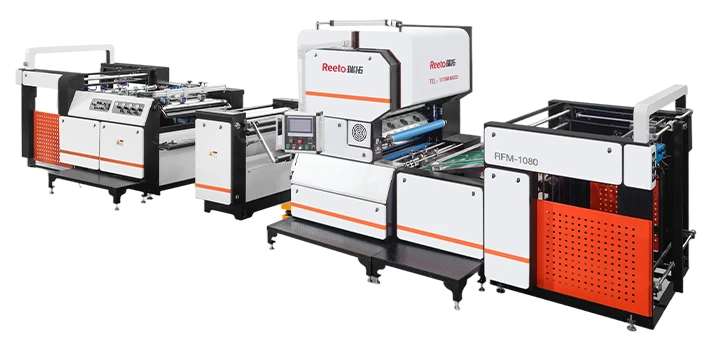
5. Prioritize Thermal Stability Over “Max Temp”
You might be tempted to look for the machine with the highest temperature ceiling. But unless you are encapsulating exotic synthetics, raw heat is the enemy of speed. Too much heat causes thin paper to ripple and adhesive to ooze from the edges, requiring slower run speeds to maintain quality.
What you actually want is thermal consistency. A lightweight flywheel effect in the roller system—where the core retains an even heat distribution—prevents the “cold edges” defect. If the middle of the roller is 120°C but the outer edges drop to 90°C, you will get a glossy center and hazy, peeling edges on large format sheets. This forces you to slow down the motor to increase dwell time, effectively negating the high-speed promise.
Making a Clean-Finish Decision
Selecting a finishing partner isn‘t about finding the cheapest motor. It is about protecting the value of the print job. You have already invested in premium inks, heavy stock paper, and talented designers. A mediocre laminator with uneven heat and a slow startup can sabotage that entire investment at the very last step.
If you are currently caught in a bottleneck where the finishing station is dictating your deadline schedule rather than supporting it, it might be time to look at a system designed for dynamic output. Visit Jiada’s dedicated solution page to see how a fully optimized system handles everything from the cold start to the cooling rack, ensuring your output stays as strong as your printing capabilities. Finally, if you have a specific application in mind—such as heavy board mounting or delicate photo finishing—don’t hesitate to get a tailored configuration assessment to match the right tool to your exact workload.